
Precedent Studio
Generate family law precedents in Word, straight from the matter
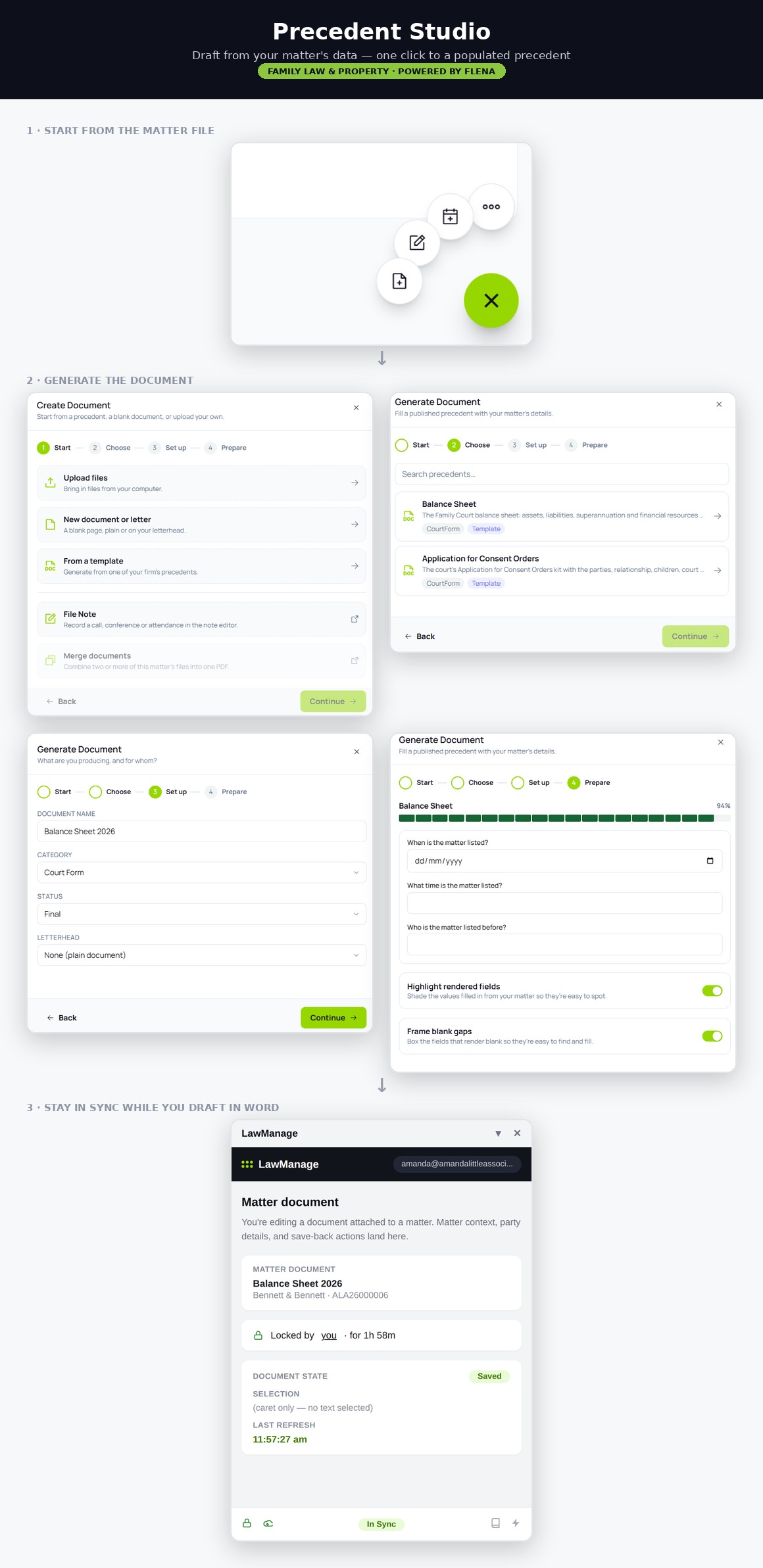
Precedent Studio merges your contact and matter data into FLENA precedents, so you start from a near-final draft in Microsoft Word instead of a blank page.
How it works
Four steps from matter to finished document
01
Choose a precedent
Start from the matter file and pick from the FLENA library by stage or document type.
02
Contact and matter data merge in
Client, other party, children, court, file number and solicitor details merge from the matter. No retyping.
03
Review in Word
The draft opens in Microsoft Word, ready for you to tailor to the matter and finalise.
04
Send and allocate
Send it from Outlook and allocate the email to the matter file in LawManage.
Why it matters
Better drafting, with less effort
Consistent, compliant drafting
Every document starts from a precedent aligned with the FCFCOA (Family Law) Rules 2021 and the Central Practice Direction.
Easier delegation
Junior lawyers and support staff can prepare first drafts with confidence, so senior practitioners review rather than rewrite.
Less time per document
Merged contact and matter data and structured precedents cut drafting time on routine correspondence and court documents.
Microsoft 365
Built around the tools your firm already uses
Microsoft Word
Generate, edit and finalise precedents in Word. No new editor for your team to learn.
Microsoft Outlook
Send correspondence from Outlook and allocate each email to the right matter file.
Be one of the first family law firms on LawManage
We are onboarding a small group of founding firms for MVP 1. Book a 30-minute demo and we will walk you through intake, triage and precedent generation on a real-world family law matter.
Family Law
Pricing
© 2026 Law Manage Pty Ltd (ABN 48 684 188 896). All rights reserved.
FLENA precedent content is provided by the Family Law Education Network.